Why I built Lottiemon
A no-B.S. Lottie animation editor
This is how I ended up building Lottiemon — a "no-B.S." web tool designed to empower quick, client-side manipulation of Lottie animations.
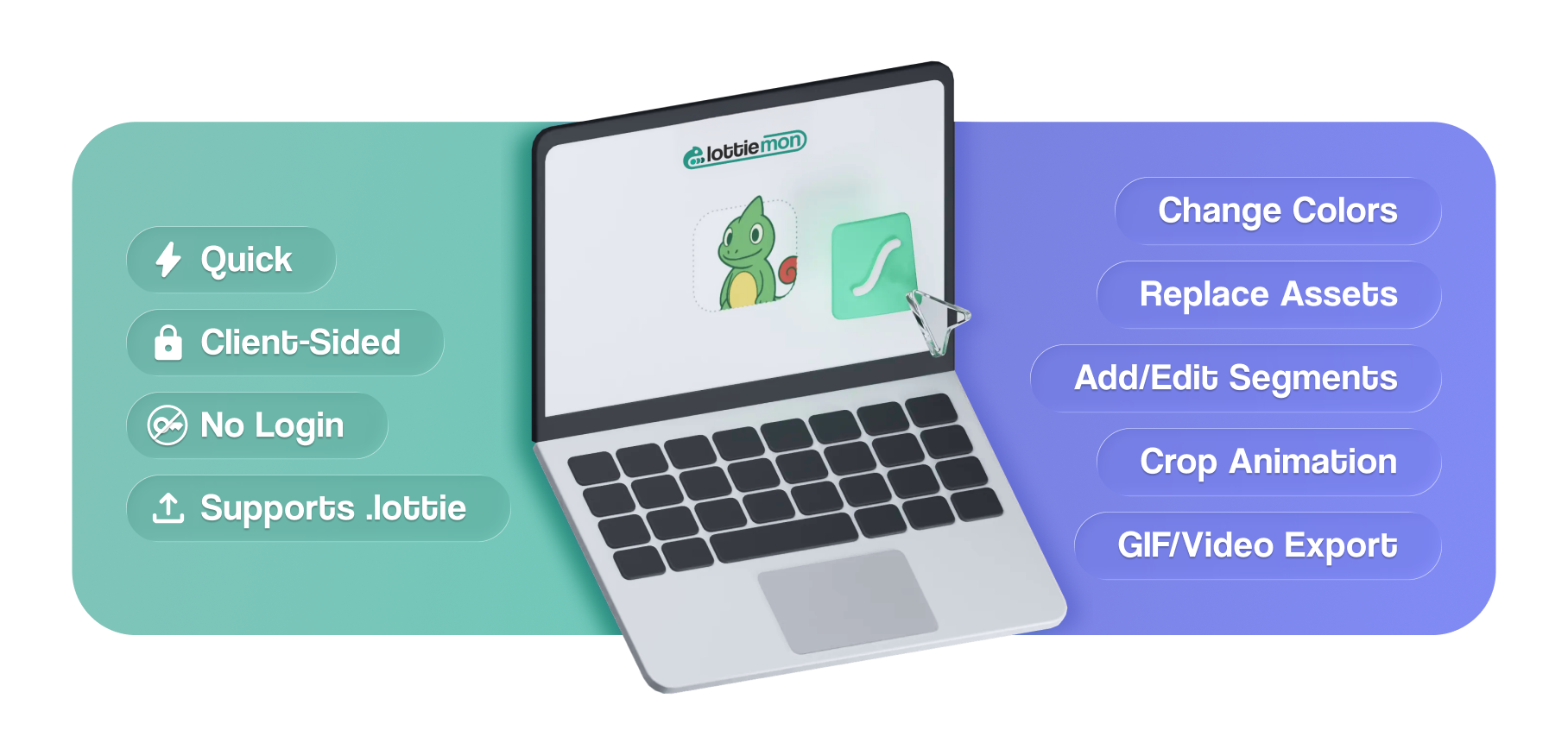
When the one site we relied on for quick Lottie edits went offline, a "simple" colour change became a major friction point.
As a product designer at Zeta, working with Lottie animations is almost a daily staple. We use them for everything from sleek loading spinners to complex hero illustrations. For a long time, our go-to for quick colour adjustments was a website called drawer.design. Its web previewer let us upload a Lottie JSON, listed every unique solid colour, and let us change it instantly. Sometimes we'd use it just to preview a file quickly. Super convenient.
Our workflow hit a snag when a teammate needed to recolour a loading spinner for a darker screen. We relied on drawer.design for these rapid edits — but this time the site was inaccessible, and would stay that way for the next couple of weeks. Probably a server issue, maybe maintenance.
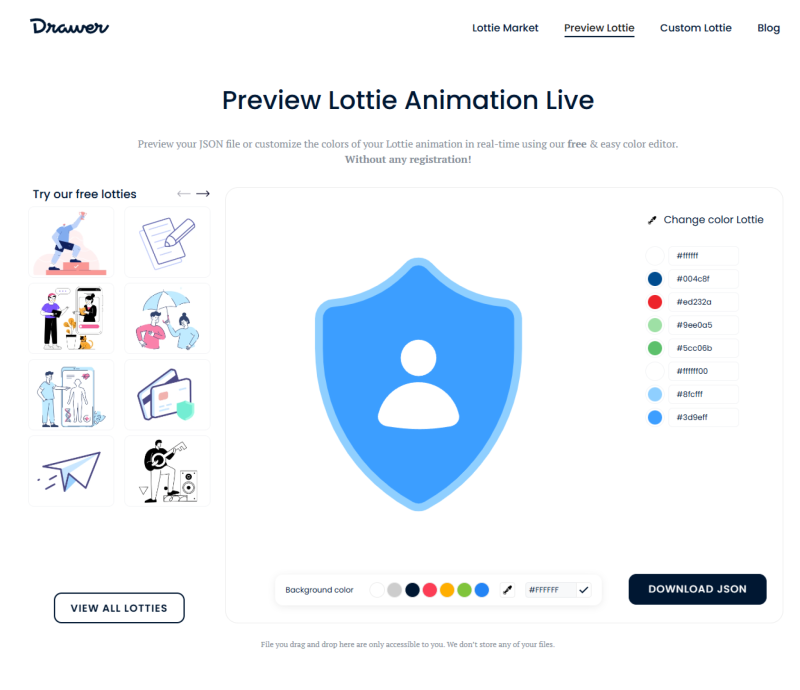
With it offline, we had two ways to make the edit — neither great:
Neither appealed to me. Which got me wondering: could I just recreate what drawer.design did?
I didn't want to go back to the "After Effects way," so I did what many of us do these days — I asked an AI to help me build it.
I prompted Gemini to write a simple colour-change web tool to edit a Lottie animation and download the asset back. And just like that, I had a freshly baked service that solved the immediate crisis. It wasn't perfect, but it got the job done for that moment.
It was a good feeling to have avoided what I'd otherwise do — and it got me thinking:
If I could do this quickly for myself, why not build a robust, no-B.S. editing tool for the entire team?
I pushed the code to my GitHub, hosted it on GitHub Pages, and shared the URL with the team. And it made me realise how much sense it made to grow it into what I always wanted it to be — something that could solve more than just changing solid colours, one of those frequent silly problems we kept running into.
What started as a simple script quickly evolved. As the team at Zeta started using it, I kept finding more obvious, meaningful use cases that usually eat up hours of our time.
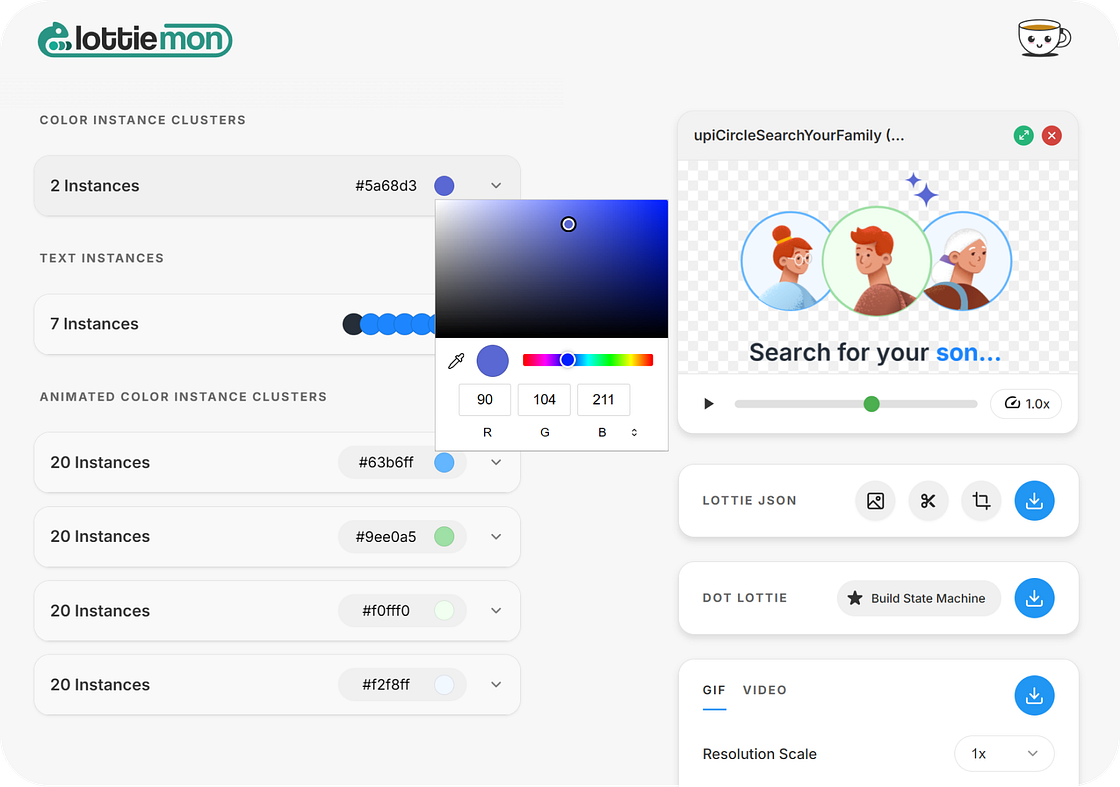
01 / Intelligent Colour Manipulation
I designed Lottiemon to group solid colours by uniqueness, giving a "first pass" at re-theming — but I also made sure each one could be changed individually. That flexibility offered far more control than our previous tools ever did.
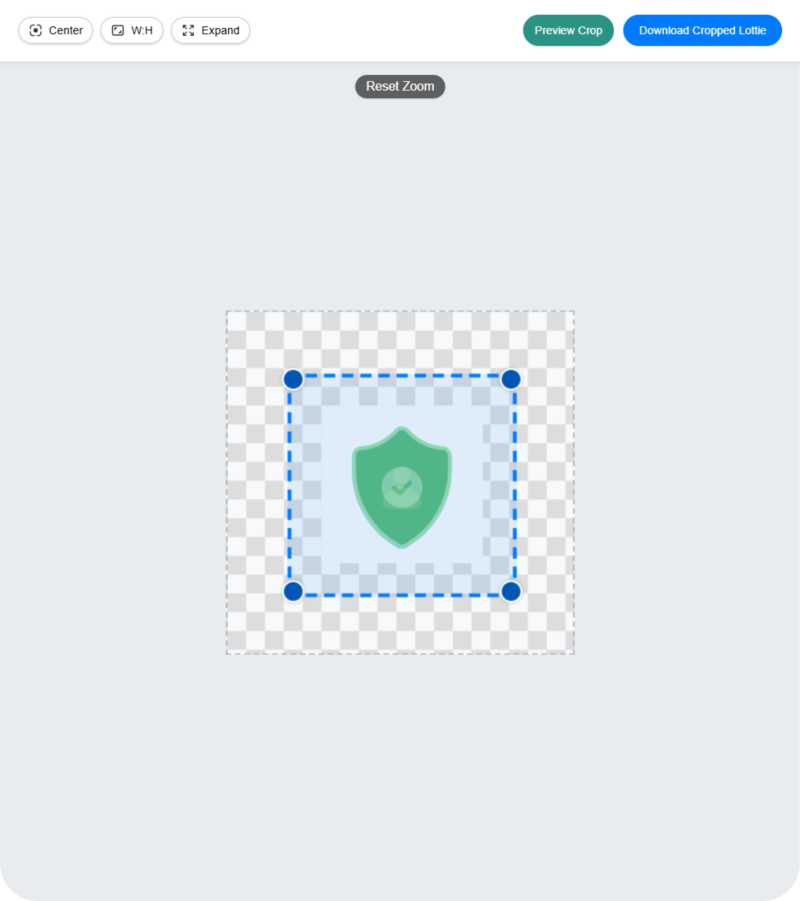
02 / The Crop & Expand Tool
Developers frequently come back asking to "trim the extra negative space" or "add a bit more padding" around an animation. Historically that meant changing composition settings in After Effects. Lottiemon now has a built-in crop/expand tool to resize the canvas around the animation effortlessly.
03 / Segment Editor — One File, Multiple Uses
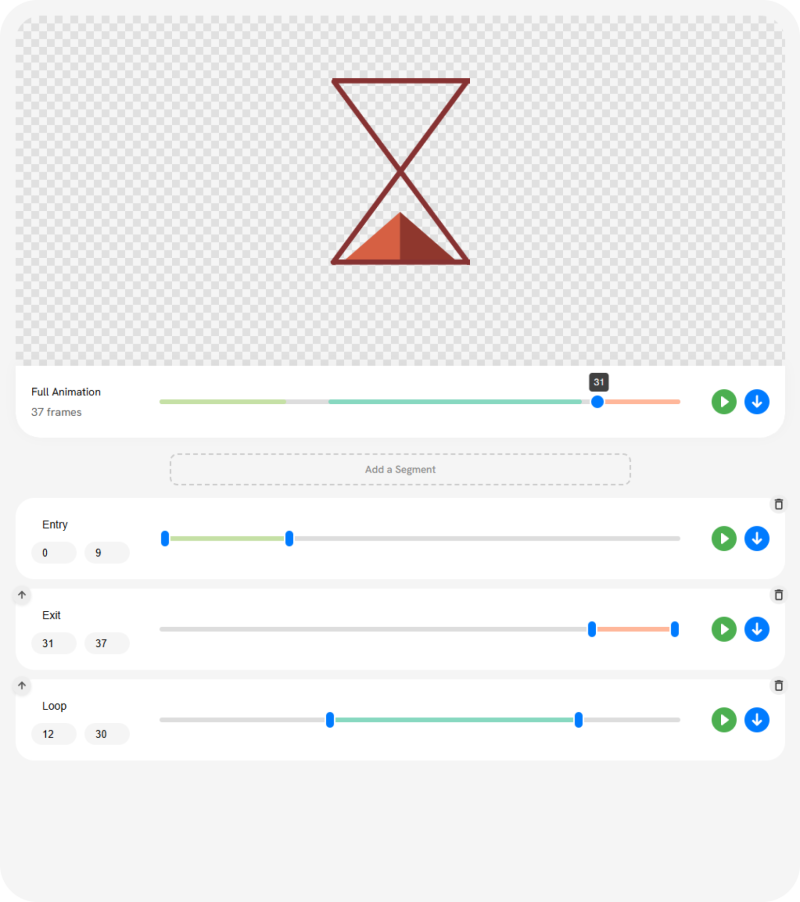
Rather than handling five different files for a single sequence, I always suggest the team mark "segments" within one file. But creating those sections was hard without After Effects. So I built a simple segment editor that lets you define and test start/end frames within a single Lottie file.
04 / Scalable Asset Replacement
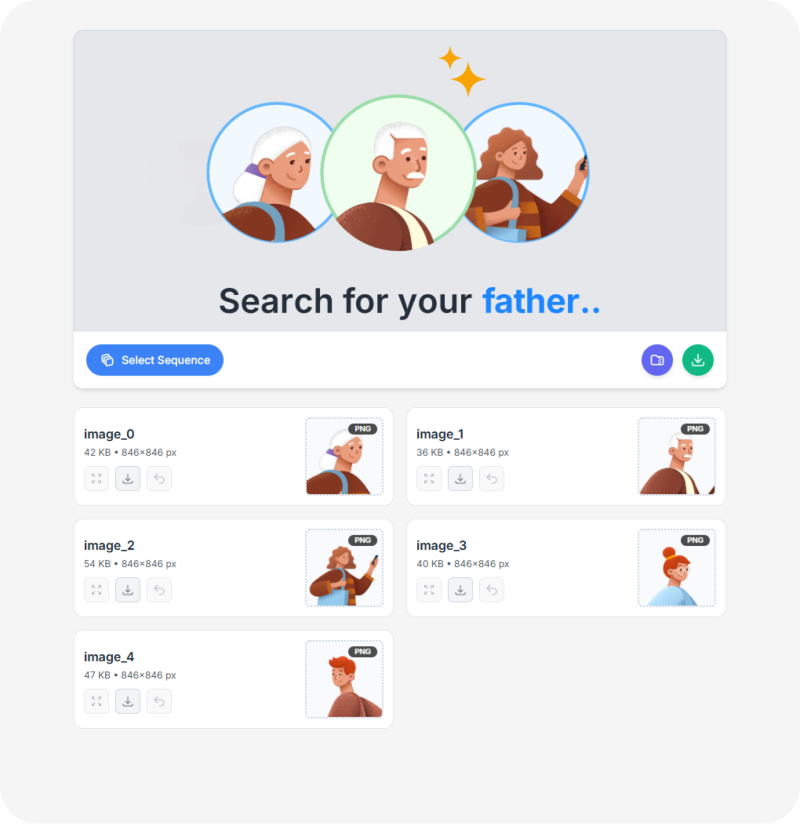
To make animations scalable, we often embed images for parts of the animation (like a spotlight banner). Lottiemon lets you redesign those assets separately and replace them without ever touching the core project file.
05 / GIF & Video Exports
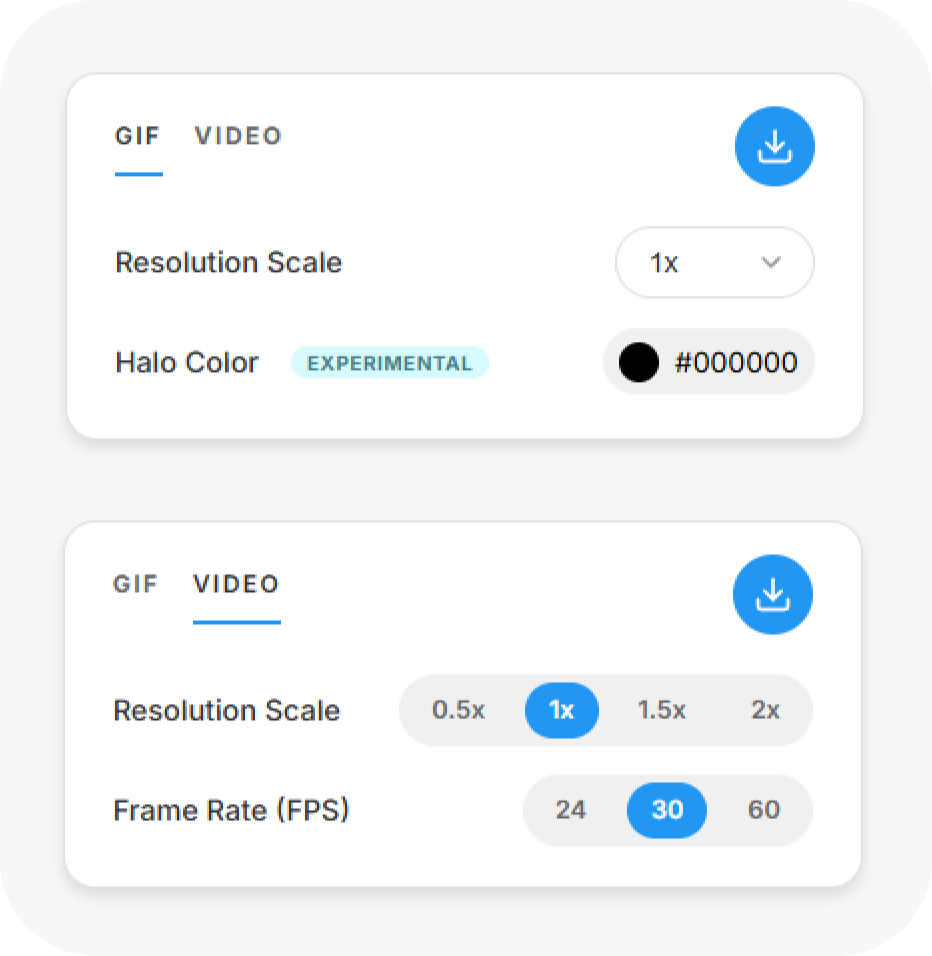
When we make Figma prototypes, we need GIFs or videos to showcase motion. Lottiemon includes direct export so you can go from Lottie to a shareable video/GIF in seconds.
06 / Flutter Preview Integration
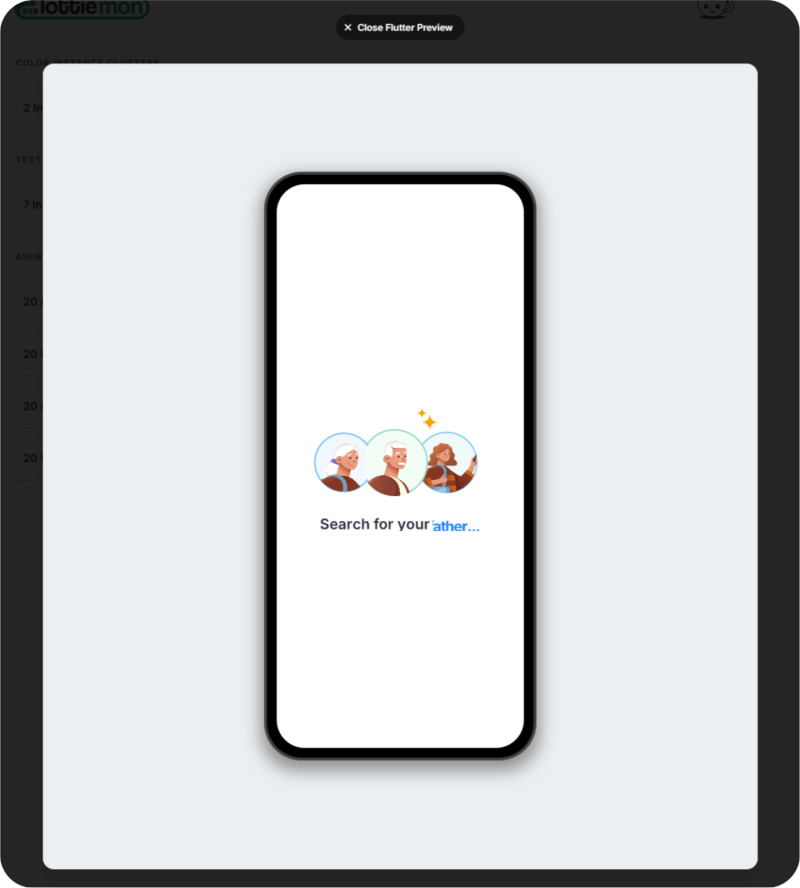
Working on PayZapp means working with Flutter constantly. Lottie animations often behave differently in Flutter compared to Web or native iOS/Android. So I built an integrated Flutter previewer — now, before handoff, we can verify everything looks exactly as intended in a Flutter context, preventing "it looks broken on mobile" bugs.
07 / dotLottie Support — Efficient Bundling
Beyond standard JSON, Lottiemon fully supports the .lottie format for both import and export. This lets us bundle multiple animations into a single .lottie file — a massive win for project organisation. Instead of handing over a dozen individual files for one feature, we package everything into one lightweight container, making the developer handoff cleaner and far more manageable.
Before this tool, even a minor request — changing a hex code, removing an element — triggered a long chain of communication and technical steps.
A roughly 40-minute loop on every edit created a "dependency bottleneck." Here's what one request actually cost:
A developer or designer would message the motion-design counterpart who originally created the asset. On average, a 20-minute turnaround just to sync — accounting for the receiver being in a meeting, away from their desk, or otherwise unavailable. Once picked up, the motion designer had to stop their work to boot After Effects and hunt down or recreate the files (10 min), then finally edit and export a GIF/video plus an updated JSON (10 min).
Across a team, factoring in roughly 10 of these requests a week, the numbers add up fast:
A 40-minute dependency bottleneck on every single edit.
The bottleneck vanished. We reclaimed time and mental space.
By moving the power into the browser, we didn't just save time — we reclaimed mental space. All of us now frequently use tools like LottieLab and Jitter to create animations, while Lottiemon takes care of the quick edits later.
The most rewarding part of this journey has been realising how much agency we have as creators.
I love that we're all so capable today. We can shape solutions to our own problems rather than searching for them elsewhere. AI has brought a significant shift in how I personally prefer to work — it lets us bridge the gap between "I wish this existed" and "here it is." It's an incredibly exciting time to be in product design.
Lottiemon has already saved us so much time and trouble of "dependency bottlenecks," and I think it could be handy for anyone else tired of the export loop — so I'm making it public. It works entirely on the client side (in your browser), making it fast, secure, and cost-effective. It's saved me and my team untold hours, since many of these tasks can now be handled by my colleagues themselves without ever depending on me.
I plan to maintain Lottiemon simply because I love working on it. It's incredibly fun to build things that solve real problems.
Right now I'm building a tool within Lottiemon that lets you create State Machines for your Lottie animations. The most recent LottieFiles release lets us package state-machine-based interactions with the animation in a single dotLottie file. That format might let us approach interactivity in a hassle-free, simple way for common use cases — and I've already hosted a beta branch at lottiemon.xyz where you can access the state machine builder.
Here's a quick demo of an animation powered by state machines — tap those buttons at the bottom when they appear.
Feel free to use it and let me know what you think — your feedback is super appreciated! 👏